How Wireless Video Latency Affects Live Broadcast: What Every Engineer Needs to Know
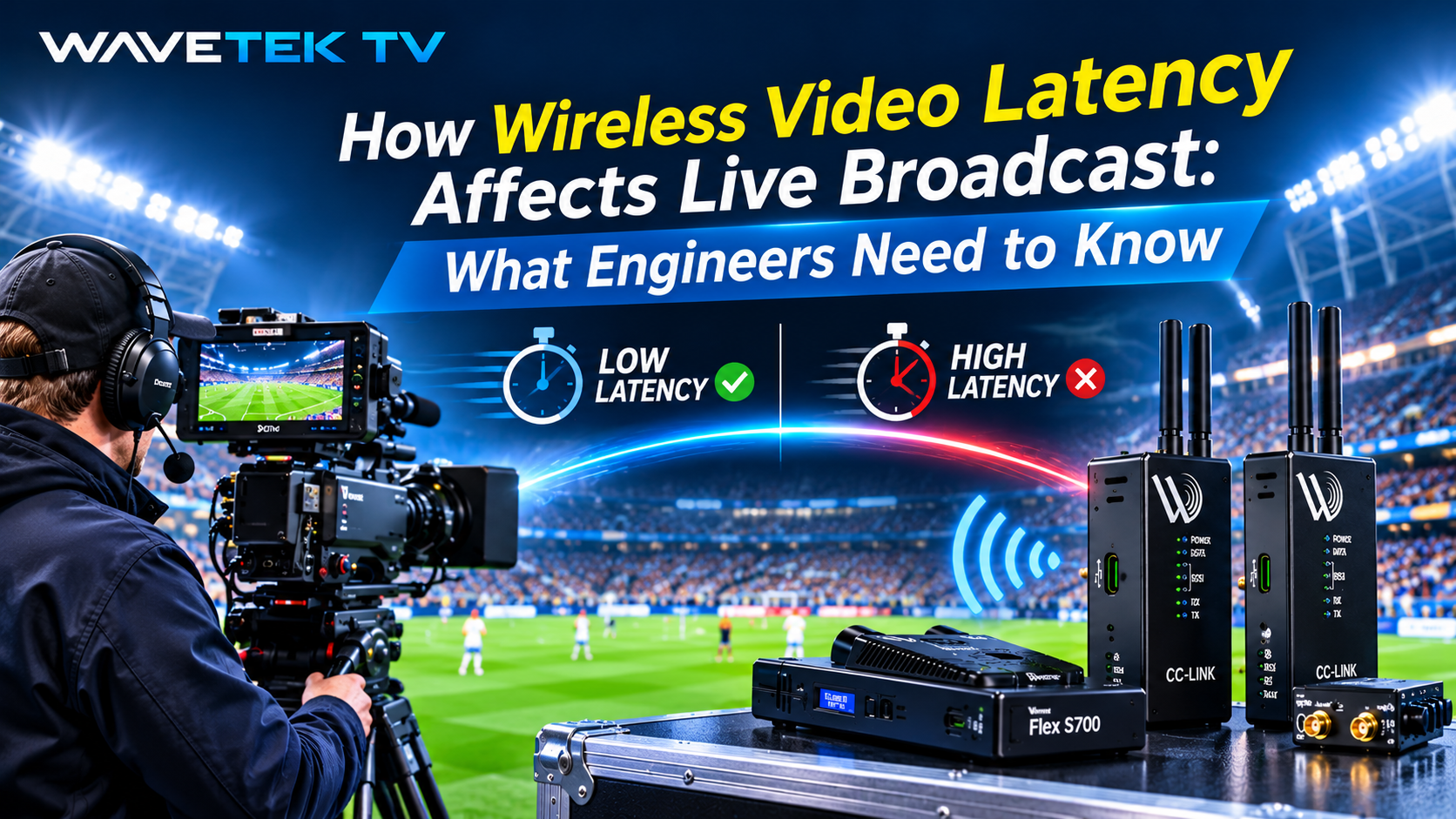
Wireless video latency in live broadcast is the cumulative delay between a camera's image sensor capturing a frame and that frame appearing at the production switcher or display, measured glass-to-glass. In multi-camera live production, any latency mismatch across camera feeds prevents clean cut-switching, causes lip-sync error, and makes real-time camera shading unreliable. The Wavetek Flex series keeps wireless video latency under 1 ms.
In live broadcast, every millisecond matters. The moment a wireless camera link introduces more delay than its wired counterparts, the technical director cannot cut cleanly between feeds, the camera shader loses confidence in real-time iris control, and a presenter's lips fall out of sync with their voice.
Understanding wireless video latency (where it comes from, how it accumulates, and what thresholds actually matter in professional production) is foundational knowledge for any broadcast engineer deploying wireless systems on live shows.
This guide covers glass-to-glass delay, genlock synchronisation, lip-sync error, IFB (Interruptible Foldback), camera control latency, and the real-world performance standards your wireless link needs to meet.
What Is Glass-to-Glass Latency in Broadcast?
The Definition
Glass-to-glass latency is the total end-to-end delay from the moment light passes through a camera lens to the moment that same frame appears on a monitor or display. The name refers to the two pieces of glass bookending the signal path: the camera's optical element at one end, the engineer's or viewer's screen at the other.
What It Includes
In a broadcast context, glass-to-glass encompasses every stage of the signal chain: sensor readout, internal camera processing, encoding or compression, wireless transmission, decoding at the receiver, routing through the production infrastructure, and final display rendering. Each stage adds delay; the total is the glass-to-glass figure.
Why Wireless Makes It a Challenge
For wired SDI camera links, glass-to-glass latency across a production facility is typically measured in microseconds to a few milliseconds, which is negligible in practice. The challenge arises when wireless links replace SDI runs. Depending on the technology used, wireless transmission can introduce anywhere from under one millisecond to over 100 milliseconds of additional delay into that chain.
How Wavetek Addresses It
The Wavetek Flex Series is designed to keep the wireless segment of the chain as close as possible to a wired SDI run. The Flex IP (£5,999), Flex S700 (£7,600), and Flex Fusion (£8,500) all operate at sub-1ms wireless transmission latency over 3G-SDI.
The Latency Budget: Where Delay Accumulates in a Wireless Chain
Thinking in Budgets
Broadcast engineers working with wireless camera systems need to think in terms of a latency budget: a finite pool of delay tolerance that gets consumed at each stage of the production chain. Once the budget is spent, the production has a problem.
Stage 1: Camera Sensor and Internal Processing
Modern broadcast cameras introduce a small but measurable delay between image capture and SDI output. High-end broadcast cameras are engineered to keep this to a single video frame or less, typically 33ms to 40ms depending on frame rate.
Stage 2: Encoding and Compression
This is where legacy wireless systems accumulated the most delay. Compression algorithms that use Group of Pictures (GOP) structures need to look ahead across multiple frames before completing an output frame, adding significant latency. JPEG 2000, once common in broadcast wireless systems, could contribute roughly 100ms. H.264 codecs optimised for low-latency can achieve around 7ms when properly configured.
Stage 3: Wireless Transmission
RF propagation delay across broadcast distances is negligible at around 3.3 microseconds per kilometre. The real delay comes from modulation, packetisation, and receiver processing. The Wavetek Flex series achieves sub-1ms video latency at this stage, effectively eliminating wireless transmission as a meaningful delay contributor.
Stage 4: Jitter Buffering
Where wireless links introduce variable packet timing, a jitter buffer is used to re-regularise the signal. This adds latency proportional to the buffer depth. Well-engineered low-latency wireless systems minimise jitter to keep this contribution as small as possible.
Stage 5: Production Infrastructure
Frame synchronisers, routers, production switchers, multiviewers, and monitoring encoding chains each add their own fixed delay. This overhead is unavoidable in any professional production environment. The wireless link must work within it, not add to it.
Why Latency Thresholds Differ by Workflow
Not All Roles Have the Same Tolerance
Not all broadcast workflows have the same latency tolerance. Understanding which threshold applies to which role on a production is essential when specifying wireless systems.
Technical Directors and Switcher Operators
TDs working the production switcher need all camera feeds to arrive within a tight window of each other. Even a mismatch of 30ms, such as a wireless camera arriving later than the wired feeds, can create visible artefacts at the cut point if the production infrastructure is not compensating. Clean switching requires matched timing across all feeds.
Camera Shaders and Vision Controllers
Shaders using RCPs to adjust iris, gain, colour balance, and paint parameters operate in a real-time feedback loop. A high-latency wireless RCP link means the shader adjusts an exposure setting, then waits before seeing the result, and may have already over-corrected by the time the change appears on their monitor.
For fast-action sports, where lighting conditions shift rapidly as players move, even 50ms of control latency introduces meaningful operational risk. The Wavetek CC-LINK S700 (£3,800) and CC-LINK Combo (£4,200) deliver wireless Sony S700 camera control with typical latency under 10 ms, maintaining the tight control loop that professional shaders require. The S700 supports both 2.4 GHz and 900 MHz.
IFB Monitoring for Talent
When a presenter or talent receives in-ear monitoring of programme audio or director talkback, latency in the return path creates an immediate problem. They hear their own voice returning with a delay, disrupting natural speech patterns and delivery. IFB latency tolerance is the tightest of any broadcast application, and delays above a few tens of milliseconds become noticeable and distracting.
Replay and Graphics Operators
Replay and graphics operators working with wireless camera feeds have more tolerance for latency, provided it is consistent and measurable, so that timing offsets can be compensated in the workflow. Up to 200ms is generally manageable at this stage.
The Core Principle
It is not just the absolute latency of a wireless link that matters, but the latency relative to every other camera in the production, and the consistency of that latency over the full duration of the broadcast.
Check The Prices Contact Our Team
Genlock Synchronisation and Why Wireless Changes Everything
What Genlock Does
Genlock is the synchronisation mechanism that ensures every camera in a multi-camera live production is locked to the same master timing reference: the same frame start, the same line timing, the same subcarrier phase. In a traditional wired studio or OB truck environment, genlock is distributed via a black burst or tri-level sync signal cabled to every camera and device.
Why It Matters for Switching
When cameras are synchronised, the production switcher can cut between them at any point in the frame without creating a visible discontinuity. The transition is clean because both the outgoing and incoming signals are perfectly aligned.
What Happens Without It
A wireless camera that introduces excessive delay is effectively desynchronised from the rest of the production. The switcher must use its internal frame synchroniser to align the wireless feed, adding further latency, or accept cuts that may produce a brief visual artefact. In live sports production, where rapid cuts between camera angles are constant, this is not acceptable.
How Sub-1ms Latency Solves It
Sub-1ms wireless latency keeps the wireless camera's timing so close to the wired cameras that the synchronisation overhead is minimised. The Wavetek Flex Fusion (£8,500), combining wireless HD video, Sony camera control, and IP connectivity in a single system, is designed for exactly these multi-camera OB environments where genlock-quality synchronisation at the wireless link is non-negotiable.
Lip-Sync Error: The Most Visible Consequence of Wireless Latency
What Lip-Sync Error Is
Lip-sync error is the misalignment between a speaker's visible mouth movements and their audible voice. It is the most immediately perceptible consequence of excessive wireless video latency, and the one most likely to be noticed by viewers at home.
How It Happens With Wireless Cameras
In a live broadcast with a wireless camera, audio is typically captured by a directional microphone and routed through the wired production infrastructure. The video from the same subject travels through the wireless camera link. If the wireless link adds more video delay than the audio path adds, the presenter's voice is heard before their mouth appears to move, or vice versa.
The Human Perception Threshold
Industry standards acknowledge that humans can detect lip-sync errors as small as 45ms (audio ahead of video) and 125ms (video ahead of audio). The ITU-R BT.1359 standard sets the broadcast tolerance range. Any wireless system adding video delay beyond the low tens of milliseconds creates a meaningful risk of perceptible lip-sync error, particularly on close-up presenter and interview shots where lips are clearly visible on screen.
Wavetek's Sub-1ms Advantage
At sub-1ms wireless transmission latency, the Wavetek Flex IP (£5,999) and Flex S700 (£7,600) introduce negligible additional video delay. This keeps the risk of lip-sync error firmly within manageable bounds regardless of the audio path configuration.
Camera Shading Over Wireless: The Control Latency Problem
A Second Latency Dimension
For productions using Sony ENG and studio cameras with remote camera control, wireless shading introduces a second latency dimension beyond the video feed: the control signal path. This is separate from, and compounds with, the video transmission latency.
How the Control Loop Works
A camera shader working from an RCP or REMI control room operates in a closed feedback loop: observe the image, make a control adjustment, observe the result, and refine. The speed of this loop directly determines how precise and responsive the shading can be.
What Happens When Latency Is High
When camera control signals travel wirelessly over a poorly designed system, the loop time extends. The shader adjusts iris; the command travels wirelessly to the camera; the camera responds; the new image returns to the shader's monitor. At 2.4 GHz on a congested system, this round-trip latency can make precise shading during fast-paced live action genuinely unreliable.
The Wavetek CC-LINK Solution
The Wavetek CC-LINK series, made up of CC-LINK IP (from £2,900), CC-LINK S700 (£3,800), and CC-LINK Combo (£4,200), is engineered for wireless camera control and data with typical latency under 10 ms. The S700 carries Sony S700 protocol control at ranges up to 1 km, and its dual-frequency capability (2.4 GHz and 900 MHz) provides frequency agility in congested RF environments such as stadiums, arenas, and multi-broadcaster events where the 2.4 GHz band is frequently overloaded.
Integrated Video and Control
For productions requiring both wireless video and wireless camera control, the Flex S700 (£7,600) and Flex Fusion (£8,500) integrate both functions in a single system. This eliminates the need for a separate control link and simplifies deployment on-site.
Legacy Wireless Latency: Why the Old Standard Was Not Good Enough
The Legacy Baseline
First-generation digital wireless broadcast camera links, including the COFDM-based systems that dominated the market through the 2000s and early 2010s, typically introduced 2 to 6 frames of delay. At 25fps (the standard HD frame rate in the UK and Europe), one frame is 40ms. Two to six frames therefore means 80ms to 240ms of wireless video latency.
Problems That Came With It
At those latency levels, predictable problems became regular features of wireless camera deployments:
- Perceptible lip-sync errors on close-up shots required audio delay compensation to be dialled in carefully per production
- Frame synchronisers added their own latency overhead trying to re-align desynchronised wireless feeds
- Camera shaders reported real-time iris control was impractical, because the shot had moved on by the time the adjustment appeared on their monitor
- Technical directors found rapid cuts between wired and wireless cameras produced visible discontinuities under certain production conditions
Where the Industry Moved
The broadcast industry's response was to drive wireless latency down aggressively. The current professional benchmark sits at approximately 7ms for the best systems using adaptively-tuned H.264. The Wavetek Flex systems advance this further to sub-1ms video latency, effectively removing the wireless link as a meaningful latency contributor in the production chain.
Choosing the Right Wavetek System for Your Latency Requirements
Wireless Video and Sony Camera Control
For productions requiring wireless HD video transmission plus Sony camera control, the most common requirement for ENG crews and OB units, the Flex S700 (£7,600) delivers wireless 3G-SDI video plus Sony S700 protocol camera control at sub-1ms video latency, with video range up to 600 m and the control link on 2.4 GHz or 900 MHz.
The All-in-One Solution
For productions requiring wireless video, camera control, and IP data connectivity in a single unit, the Flex Fusion (£8,500) integrates all three functions. It reduces cabling complexity and setup time for demanding live events where multiple system boxes would otherwise be required on-site.
Wireless Video Only
For productions where wireless video is the sole requirement and camera control is handled via a separate wired connection, the Flex IP (£5,999) provides wireless 3G-SDI HD video with IP data connectivity at sub-1ms latency.
Wireless Camera Control Only
For productions where video is already handled via cable or fibre, the CC-LINK S700 (£3,800) provides dedicated wireless Sony camera control at up to 1 km range. The CC-LINK Combo (£4,200) adds IP connectivity alongside the S700 control link. The CC-LINK IP (from £2,900) covers wireless IP connectivity without the S700 control protocol.
Spectrum Flexibility
Wavetek control links operate in the 2.4 GHz ISM band, with 900 MHz also available on the CC-LINK S700 and Flex S700, while Flex video runs on 5 GHz. This frequency flexibility is a meaningful practical advantage in the congested RF environments typical of stadium and arena productions.
Not sure which configuration suits your show? Contact Our Team or Check The Prices for the full range.
Practical Latency Thresholds: A Reference Table for Broadcast Engineers
For engineers specifying or troubleshooting wireless camera systems, the following thresholds provide a practical reference framework:
| Application | Latency Tolerance | Consequence If Exceeded |
|---|---|---|
| Multi-camera cut switching | Under 1 frame (under 40ms at 25fps) | Visible cut artefacts; frame sync required |
| Lip-sync on presenter shots | Under 45ms (audio ahead) / under 125ms (video ahead) | Perceptible AV desynchronisation on screen |
| Live camera shading, fast action | Under 20 to 30ms control loop | Unreliable real-time iris and exposure control |
| IFB talent monitoring | Under 20ms (ideally under 10ms) | Presenter hears own voice with audible echo |
| Replay and graphics operations | Under 200ms | Generally manageable with offset compensation |
| Wavetek Flex wireless video | Sub-1ms | Effectively zero contribution to latency budget |
| Wavetek CC-LINK wireless control | Typically under 10ms | Well inside the shading control-loop threshold |
The Wavetek sub-1ms video specification means the wireless video link itself does not meaningfully consume any of these latency budgets, leaving all available tolerance for the fixed-cost overhead of the production infrastructure.
Frequently Asked Questions
What is glass-to-glass latency?
Glass-to-glass latency is the total delay from the moment a camera's lens captures an image to the moment that image appears on a display or monitor. It encompasses every stage of the production chain: camera processing, encoding, wireless transmission, decoding, routing, and display rendering.
How much latency is acceptable in a live broadcast wireless camera link?
For professional live broadcast, wireless link latency should ideally remain below one frame, which is 40ms at 25fps or 33ms at 30fps, to avoid the need for frame synchronisation. For camera shading, under 30ms is preferred; for IFB monitoring, under 20ms. Wavetek Flex video links operate at sub-1ms and CC-LINK control links typically under 10ms, both within these professional thresholds.
Why does genlock matter for wireless cameras?
Genlock ensures all cameras in a multi-camera production are locked to the same timing reference. Without genlock, or with excessive latency on a wireless link, the production switcher cannot cut cleanly between feeds. Sub-1ms wireless latency minimises the synchronisation offset between wireless and wired cameras.
What causes lip-sync error with wireless cameras?
Lip-sync error occurs when video from a wireless camera arrives with more delay than the audio captured from the same subject. Since audio typically travels through a wired path and video travels wirelessly, any wireless video delay beyond the audio path delay creates a perceptible timing mismatch. Systems with sub-1ms wireless video latency minimise this risk.
Does wireless camera control latency affect shading quality?
Yes. A shader operating an RCP panel relies on a closed feedback loop: adjust a parameter, observe the result. If the wireless control path adds latency, the loop time extends, making precise real-time adjustments more difficult. This is particularly problematic during fast-action sports. The Wavetek CC-LINK series is engineered to minimise control path latency, with typical latency under 10ms.
Which Wavetek system is best for live sports production?
For live sports requiring wireless HD video and Sony camera control, the Flex S700 (£7,600) or Flex Fusion (£8,500) are the appropriate choices. The CC-LINK S700 (£3,800) suits productions where camera control is the primary wireless requirement. Flex video operates at sub-1ms latency, with dual-frequency control flexibility for congested environments.
How does 900 MHz operation help in RF-congested environments?
At major live events, the 2.4 GHz ISM band is heavily loaded by smartphones, WiFi, DAS infrastructure, and competing broadcast equipment. 900 MHz offers lower congestion and better obstacle penetration, providing a reliable fallback frequency. Wavetek CC-LINK S700 and Flex S700 systems support both 2.4 GHz and 900 MHz on the control link.
Can Wavetek systems work alongside existing Sony camera infrastructure?
Yes. The Wavetek CC-LINK S700 and Flex S700 are designed to integrate with the Sony S700 camera control protocol used on a wide range of Sony ENG and studio cameras. They work alongside existing Sony RCP panels and CCUs, adding wireless connectivity to existing wired infrastructure.